Blinkle AI
AI · Landing Page Redesign · Onboarding
What have we built so far
Blinkle AI is an AI-powered job search platform that helps users build and optimize their resumes, then auto-apply to matched positions. As the product moved from alpha toward a public V2 launch, the existing homepage lacked the visual clarity and trust signals needed to convert new visitors into registered users. The goal was to redesign the homepage by aligning business objectives with user needs — within the constraints of a limited budget, minimal data, and a one-month timeline.
3 month, 4 projects
What did I work on?
Landing Page Redesign
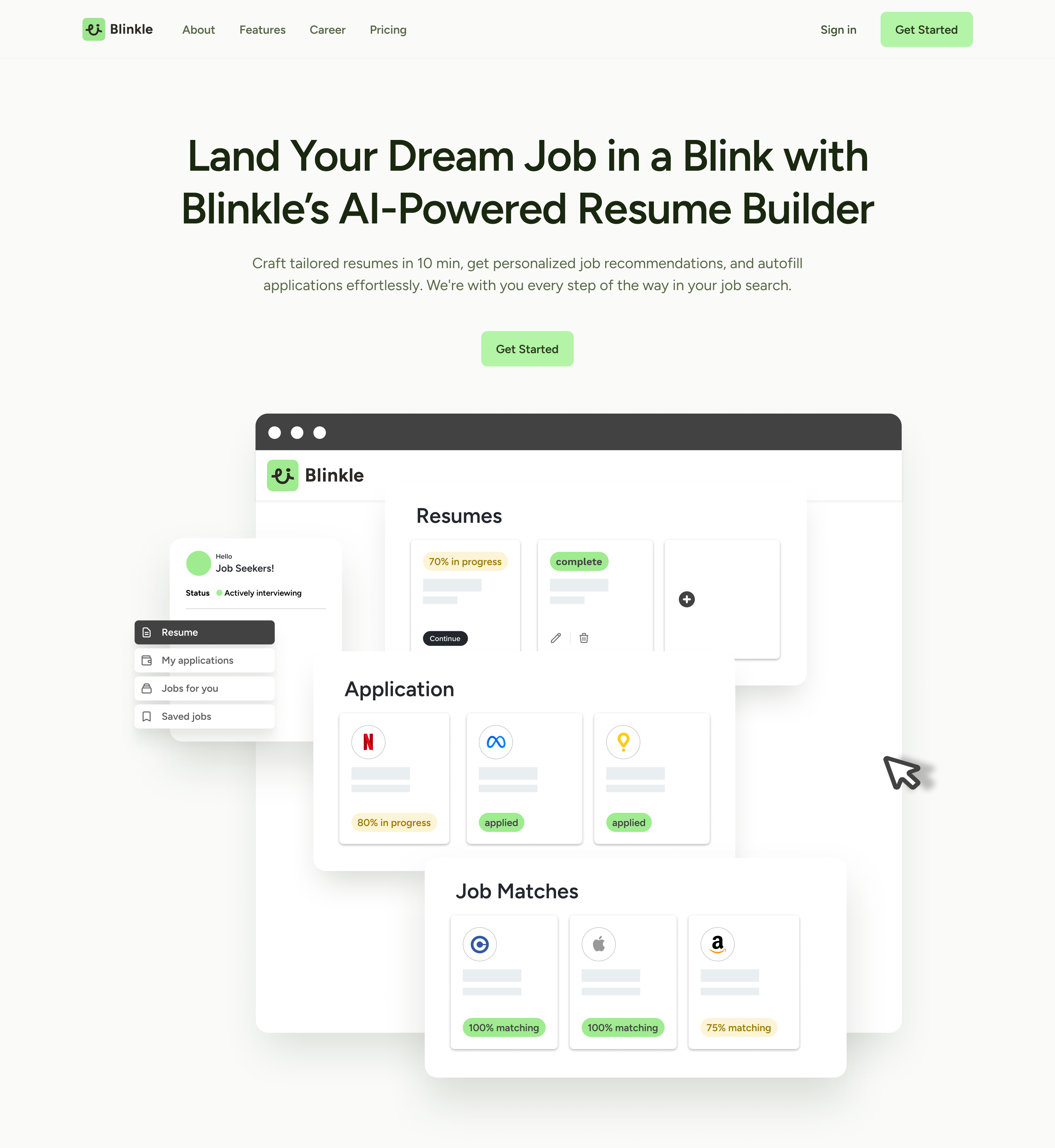
Before
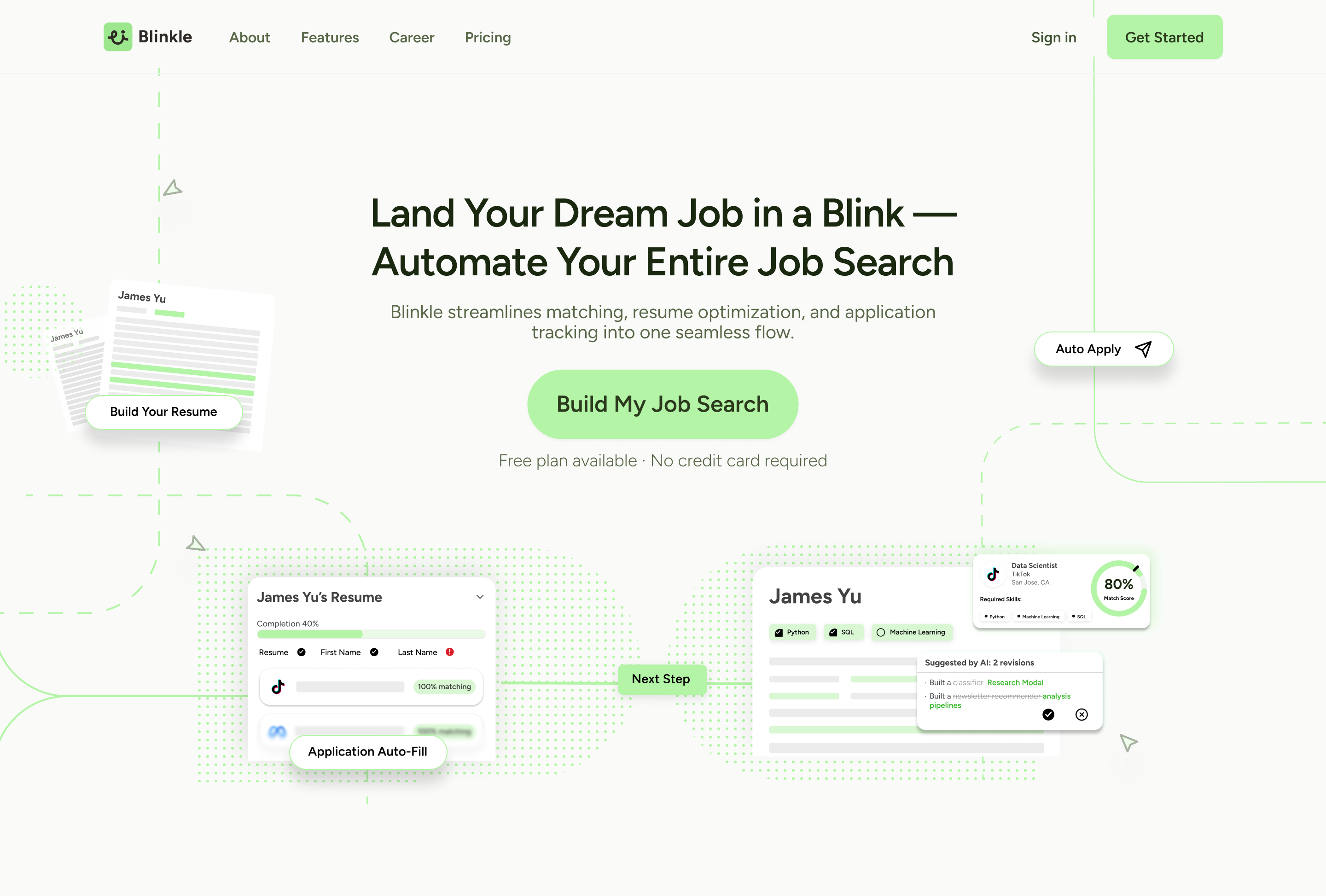
After
Key Contribution
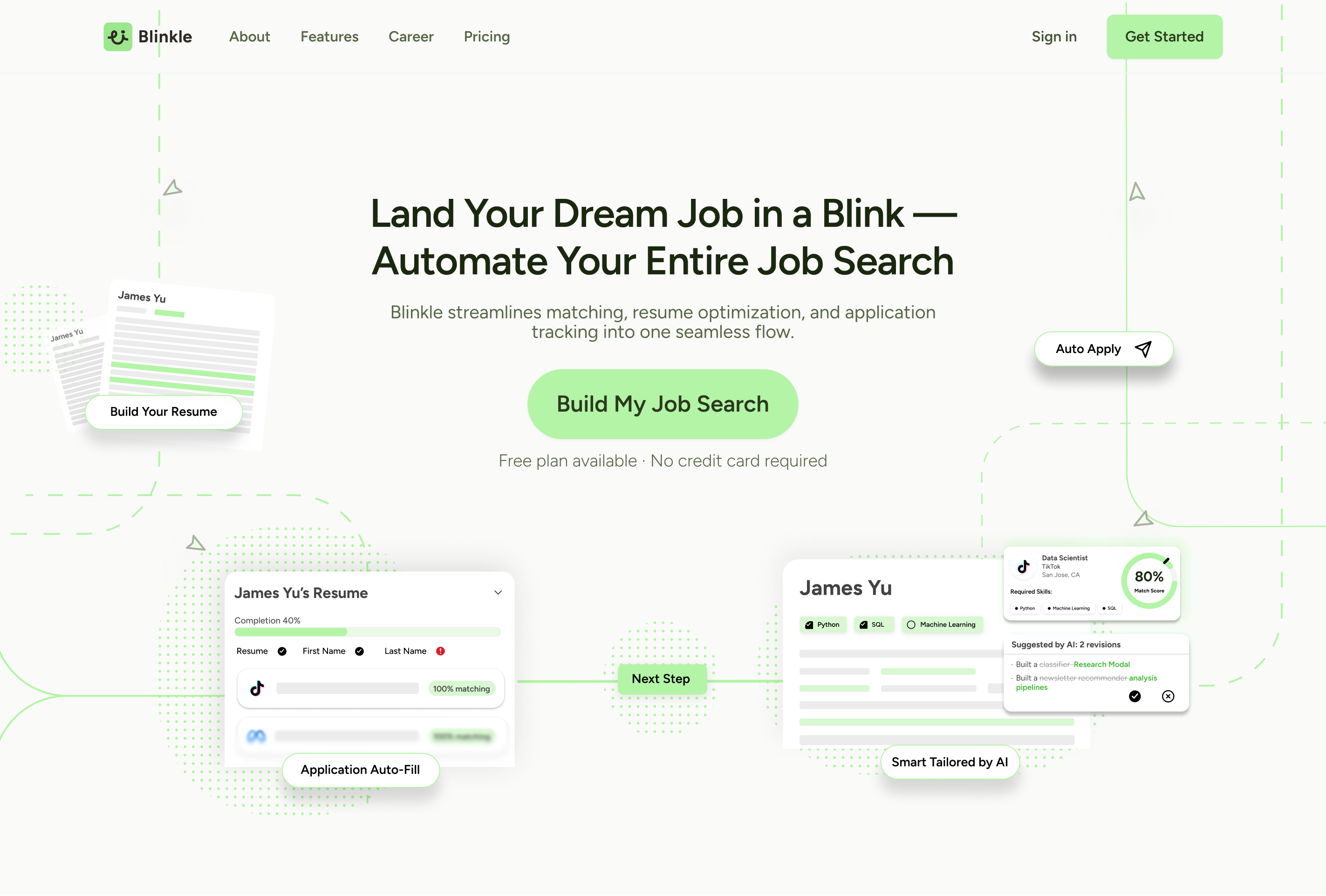
- Led the end-to-end redesign of Blinkle AI's landing page
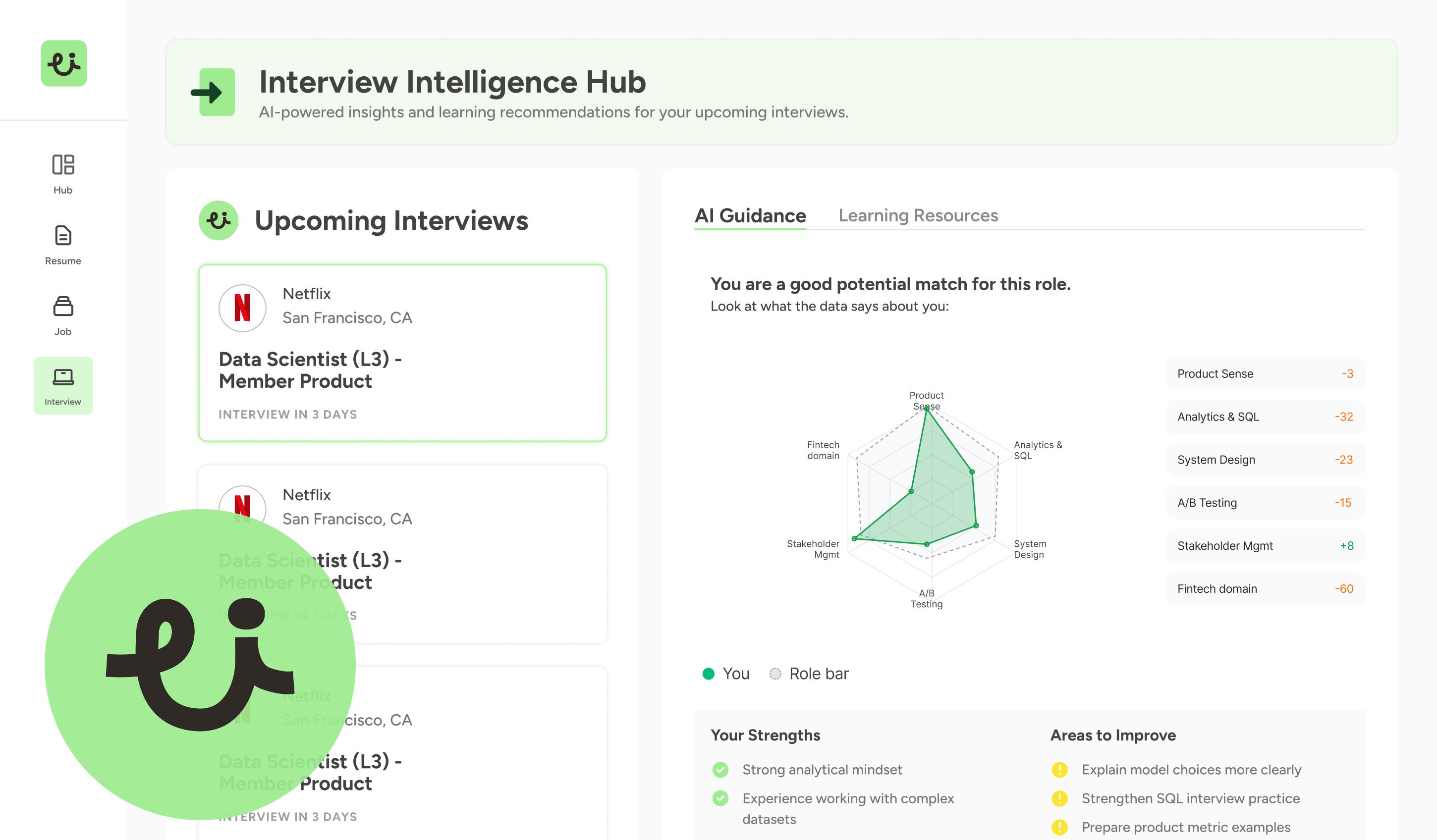
- Conducted a UX audit of the existing landing page and main dashboard
- Optimized the onboarding experience to help users to adapt
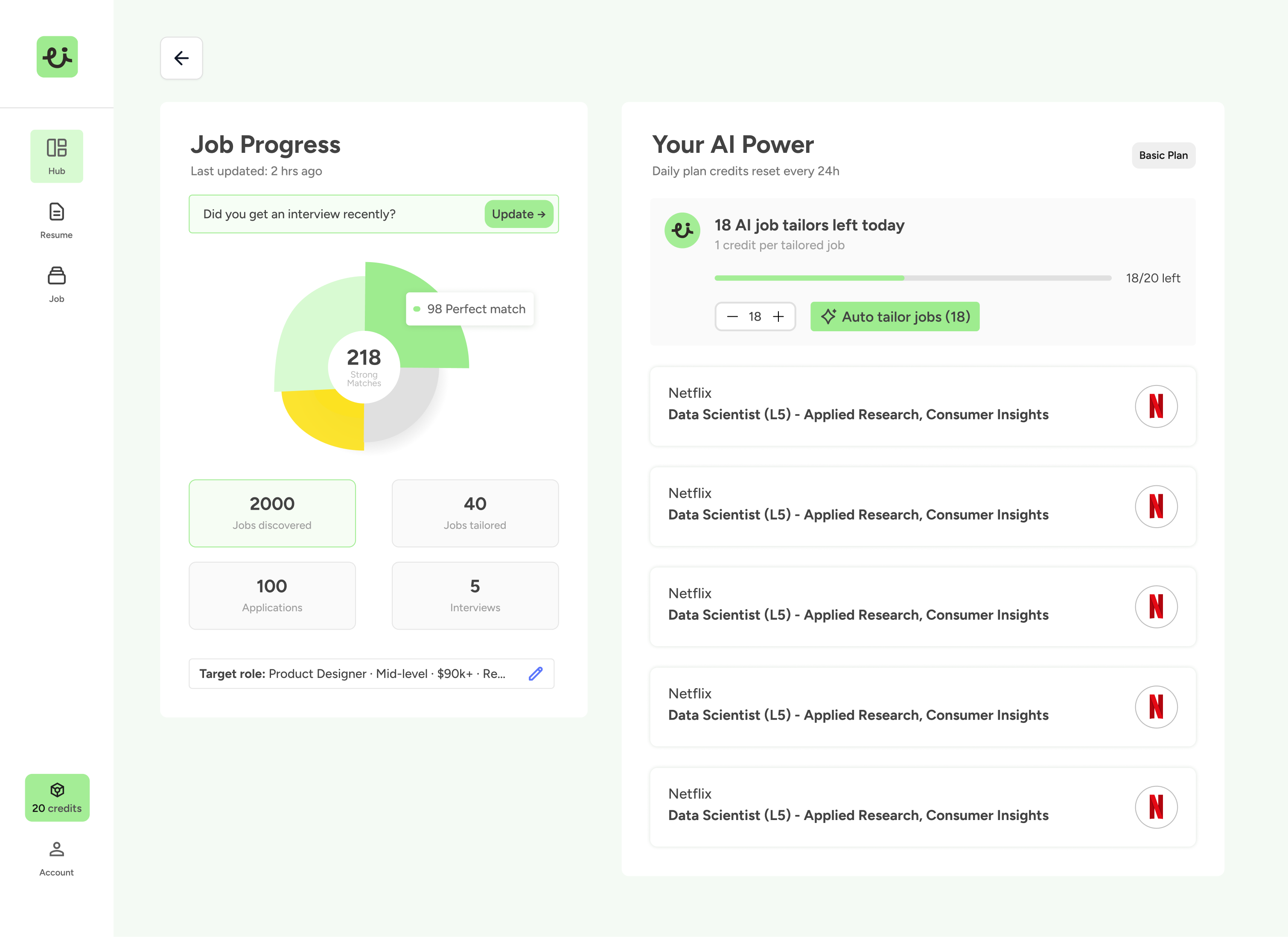
- Product strategy discussions around AI credit usage, credit management, and business plan
Reducing Cognitive Friction to Drive Homepage Conversions
Blinkle AI is an AI-powered job search platform that helps users build and optimize their resumes, then auto-apply to matched positions. As the product moved from alpha toward a public V2 launch, the existing homepage lacked the visual clarity and trust signals needed to convert new visitors into registered users. The goal was to redesign the homepage by aligning business objectives with user needs — within the constraints of a limited budget, minimal data, and a one-month timeline.
How might we lower the cognitive barrier for new users so they understand Blinkle's value and take action — even without prior data or social proof?
Constraints: limited resources · limited budget · early-stage product · lack of data support
Define the design framework
The project followed five phases: understanding business goals → competitive analysis → design audit → design tradeoffs & recommendations 1.0 → final design solution.
The overarching business goal: by optimizing the homepage's visual hierarchy and trust-building mechanisms, reduce new users' cognitive barriers and increase homepage registration conversion rate. Three focus areas drove this:
- Optimize visual hierarchy and CTA design
- Clarify how the product workflow is presented
- Convey product credibility through design language itself
What users actually do on the page
Context: 5 users (university students, 18–25) freely browsed the homepage prototype and shared first impressions. Behavior was layered with HubSpot mouse-dwell data for analysis.
Finding: users' mouse dwell concentrated in the Hero section, averaging 18 seconds.
Insight: the hero attracted sufficient attention, but lacked clear action guidance. New users most wanted to know "what's next" — the step after landing on the page.
"I know the general direction, but I'm not quite clear on the steps — how do I actually use this?" — Juliana Silva, 25, Freelancer
Benchmarking against Simplify and Teal
On workflow guidance, Simplify was weak, only showing main features without a step-by-step feel. Teal excelled with a sticky tab nav and synced screenshot scrolling. On registration conversion, Simplify built trust through testimonials and company logos near the CTA; Teal had a more prominent CTA but less social proof. On AI differentiation, neither fully committed: Simplify didn't highlight AI capabilities at all, while Teal showed AI resume building but not job-specific tailoring.
The key lesson from hero UX writing: Teal's result-oriented, number-driven copy ("Land 6X more Interviews") outperformed vague one-stop messaging.
Six core problems with the existing homepage
- The CTA lacked visual prominence.
- The hero image was oversized without being persuasive.
- Colors were used inconsistently for different semantic meanings, causing confusion.
- The headline didn't define the target audience or the product's position.
- There was no social proof, no quantitative data, and no visual hierarchy to direct attention.
- UX language was also inconsistent across sections, with design failing to communicate specific, concrete information.
Four patterns shaped the redesign direction
- Visual: unclear text hierarchy created confusion between primary and secondary information — especially for non-native English speakers who rely more heavily on visual structure than linguistic cues.
- Language: poor clarity across different literacy levels. UX copy was inconsistent and didn't guide users who were unfamiliar with AI job tools.
- Trust & Credibility: the absence of social proof, user data, and quantitative signals weakened perceived safety and credibility for first-time visitors.
- Workflow Clarity: users couldn't confidently identify what the product did or how to start. A clear step-by-step flow representation was needed to reduce drop-off at the hero stage.
Design tradeoffs
Given the early-stage context and the user finding that people needed to understand fast, two key tradeoffs shaped the final direction: cleaner visual hierarchy over feature visibility, and fast understanding over full-storytelling flow.
From insights to design
The final V2 design addressed each problem area with a concrete decision.
- The hero copy was rewritten with outcome-focused language and a single prominent CTA with low-friction reassurance ("Free plan · No credit card required").
- The homepage now visualizes Blinkle's four-step workflow directly — answering "how does this work?" before users need to ask.
- Feature sections were redesigned as card-based UI snippets showing real output states like resume completion percentage and job match scores, making AI capabilities tangible.
- A unified color system was established so green consistently signals progress, removing semantic ambiguity.
- Social proof, job count indicators, and match scores were embedded throughout to build confidence without requiring testimonials.
- Pricing tiers were redesigned with descriptive subtitles and a highlighted recommended plan, reducing the psychological risk of committing for first-time users.